Playbook programmes
Start a 12-week plan and follow its scheduled sessions, or choose individual sessions from the Playbook.

Choose your coaching settings, plan your training and adjust your workouts as you go. Follow RTI's targets or build your own sessions, then review your results in one place.
Training your way
Set up coaching around your goals, equipment and preferred training schedule. Choose how RTI progresses your workouts, make changes during a session and review what you have done. If you prefer to set your own targets, use Rep Logger.
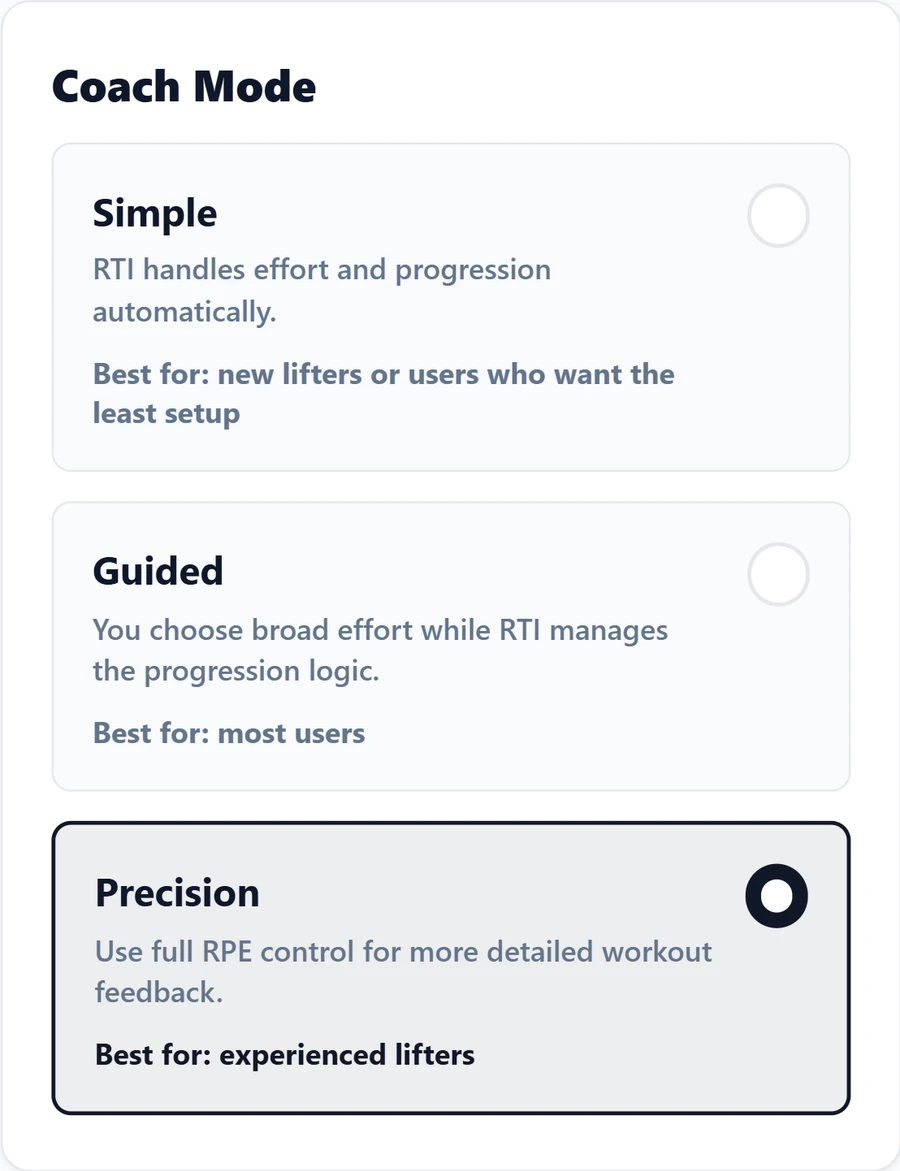
Coach Settings
Choose a coaching mode, then set how RTI adjusts your targets, varies your training and increases the difficulty.
RPE is how hard a set felt. You choose the amount of detail you want to record.
Free includes basic Simple access. Full Simple coaching starts with Coach, Guided with Performance, and Precision with Elite.
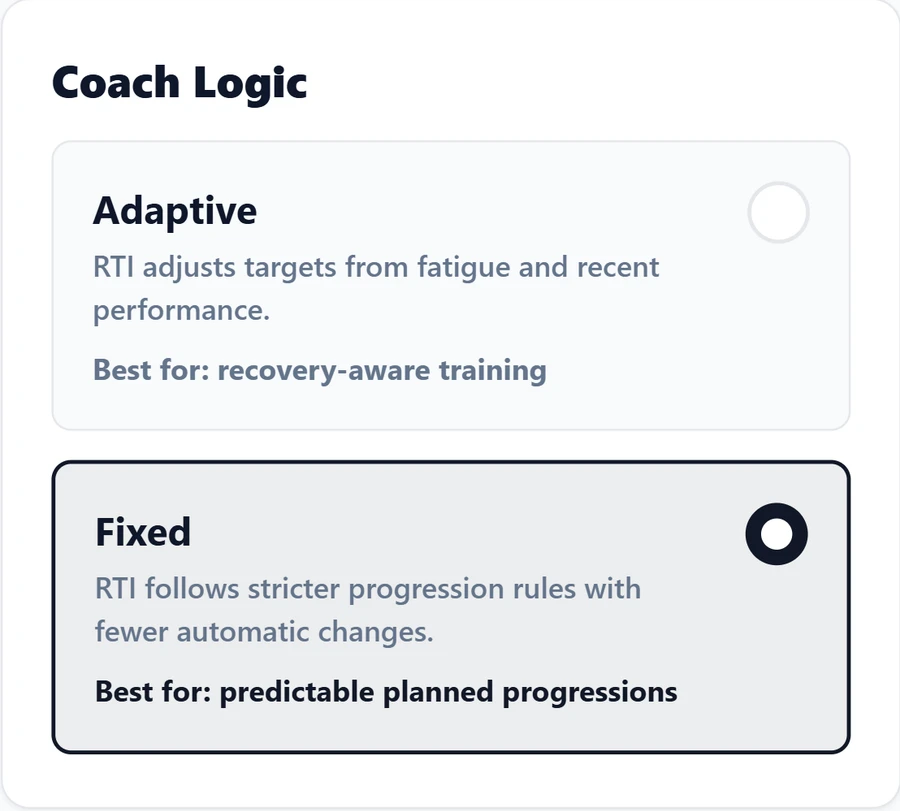
Adaptive adjusts targets using fatigue and recent performance. Fixed follows stricter progression rules with fewer automatic changes.
Use Adaptive when you want the coach to respond more to recent training. Choose Fixed when you prefer a more predictable progression.
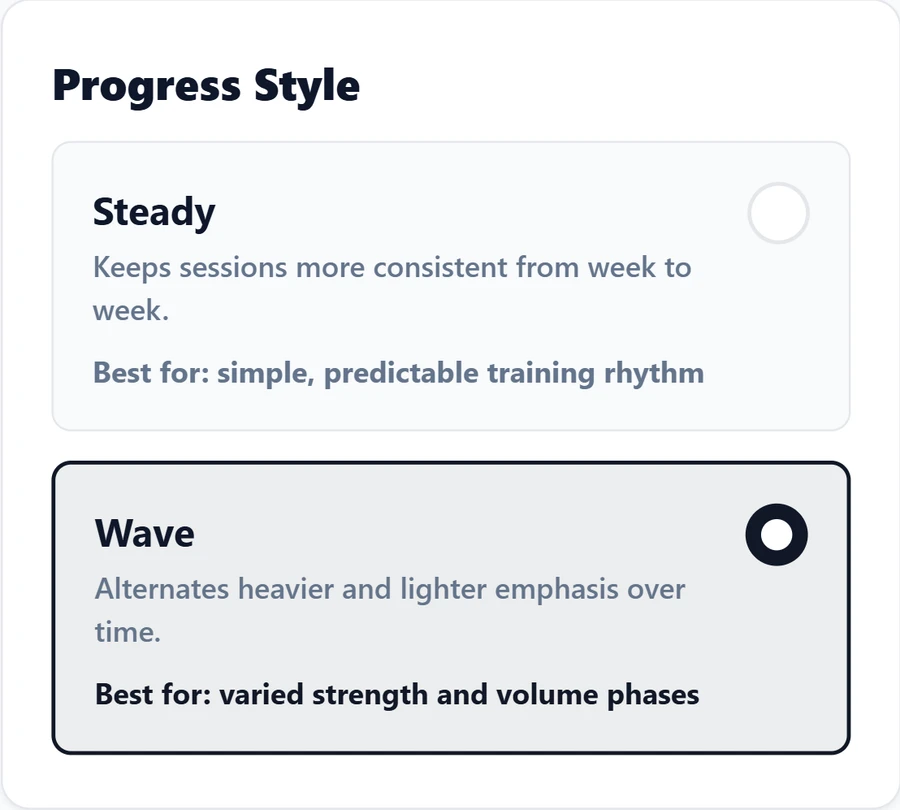
Steady keeps sessions more consistent from week to week. Wave changes the emphasis over time, alternating heavier and lighter work.
Choose Steady for a more regular pattern, or Wave when you want more variation in your training.
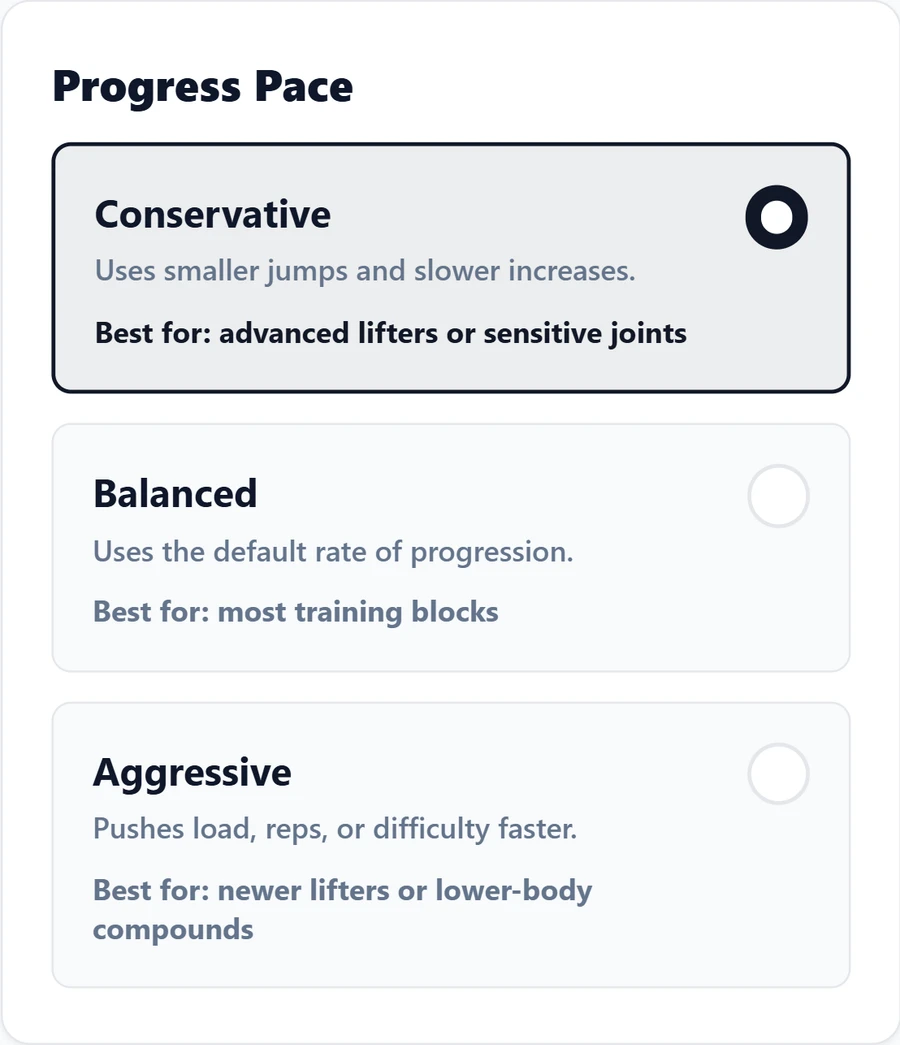
Conservative uses smaller jumps and slower increases. Balanced uses RTI's standard rate. Aggressive increases load, reps or difficulty faster.
Use the pace that suits your current training. For example, choose Conservative when you want smaller steps, or Balanced for the standard progression.
Coaching blocks
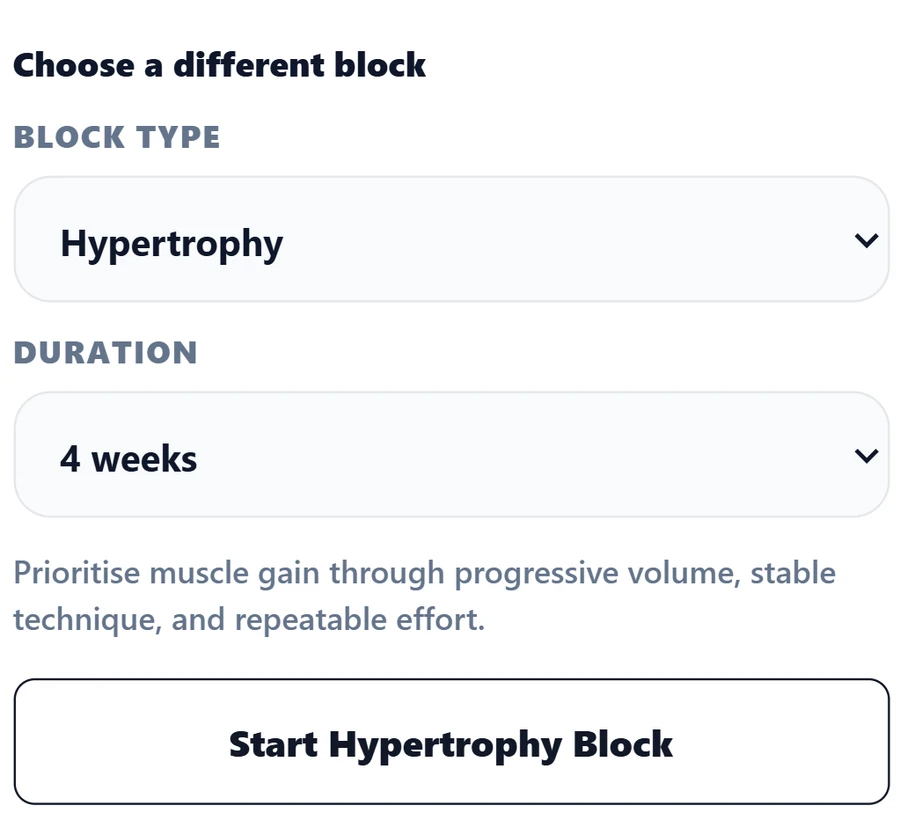
A coaching block gives your training a focus for a set number of weeks. Follow RTI's recommendation or use the controls in your plan to choose the block and its length.
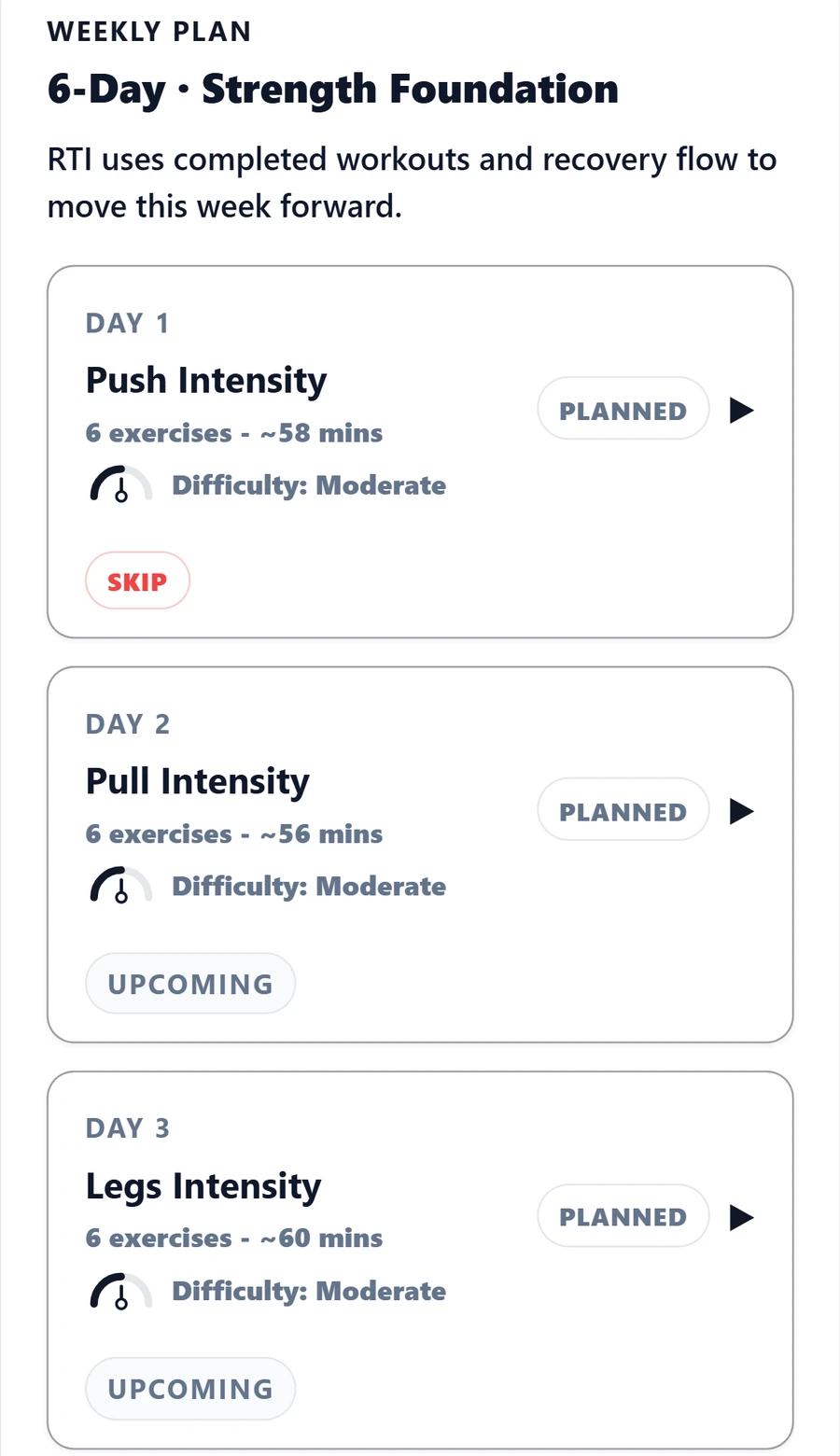
The example shows a four-week Hypertrophy block. The weekly plan below includes Push, Pull and Legs sessions, with separate intensity and volume days.
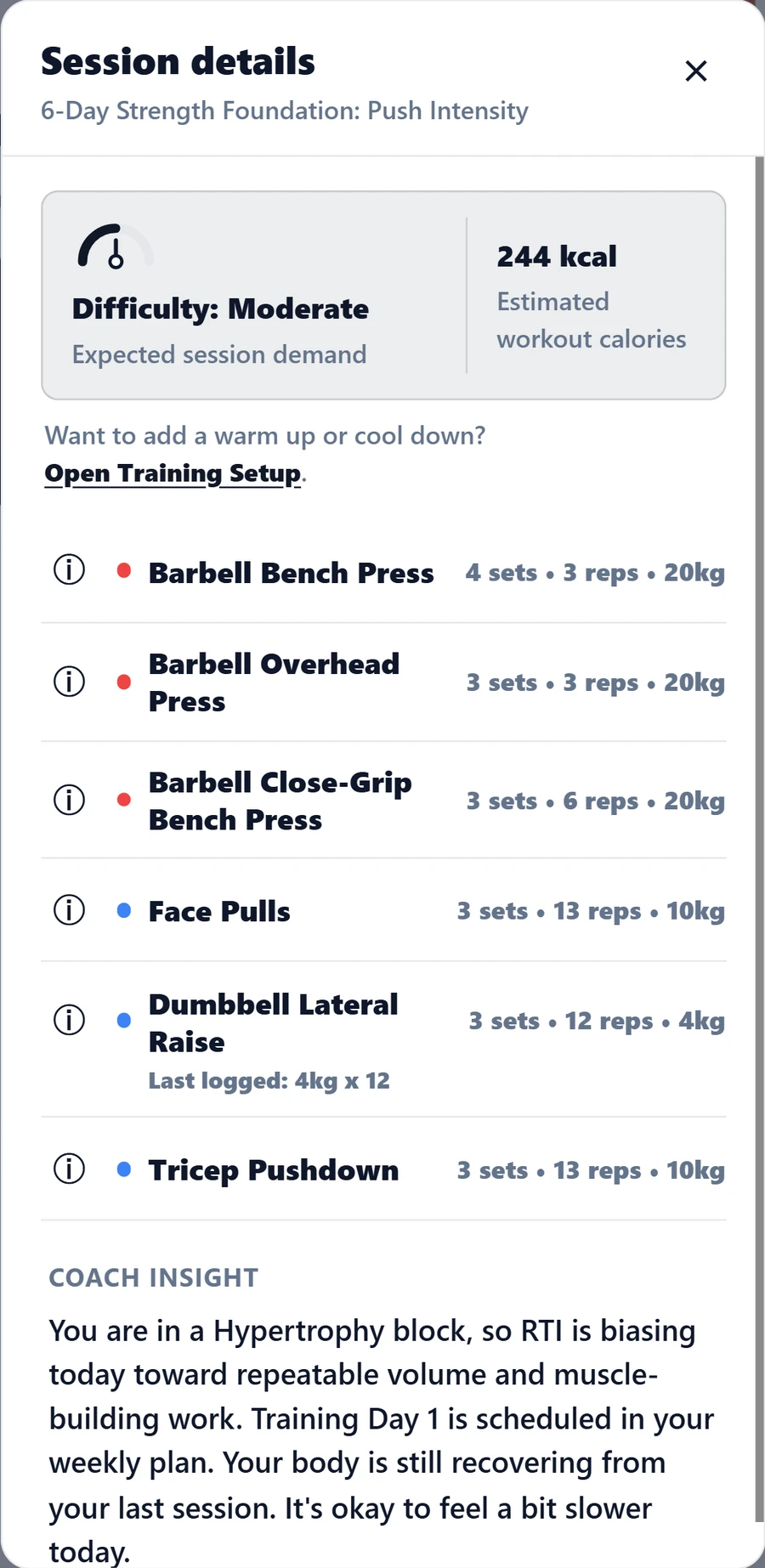
Check the week's sessions, then open a workout to see its exercises, sets, reps and expected difficulty. Coach Insight explains how the session fits your block and recent training.
Targets can change as you log sets and RTI receives new information about your training.
During your workout
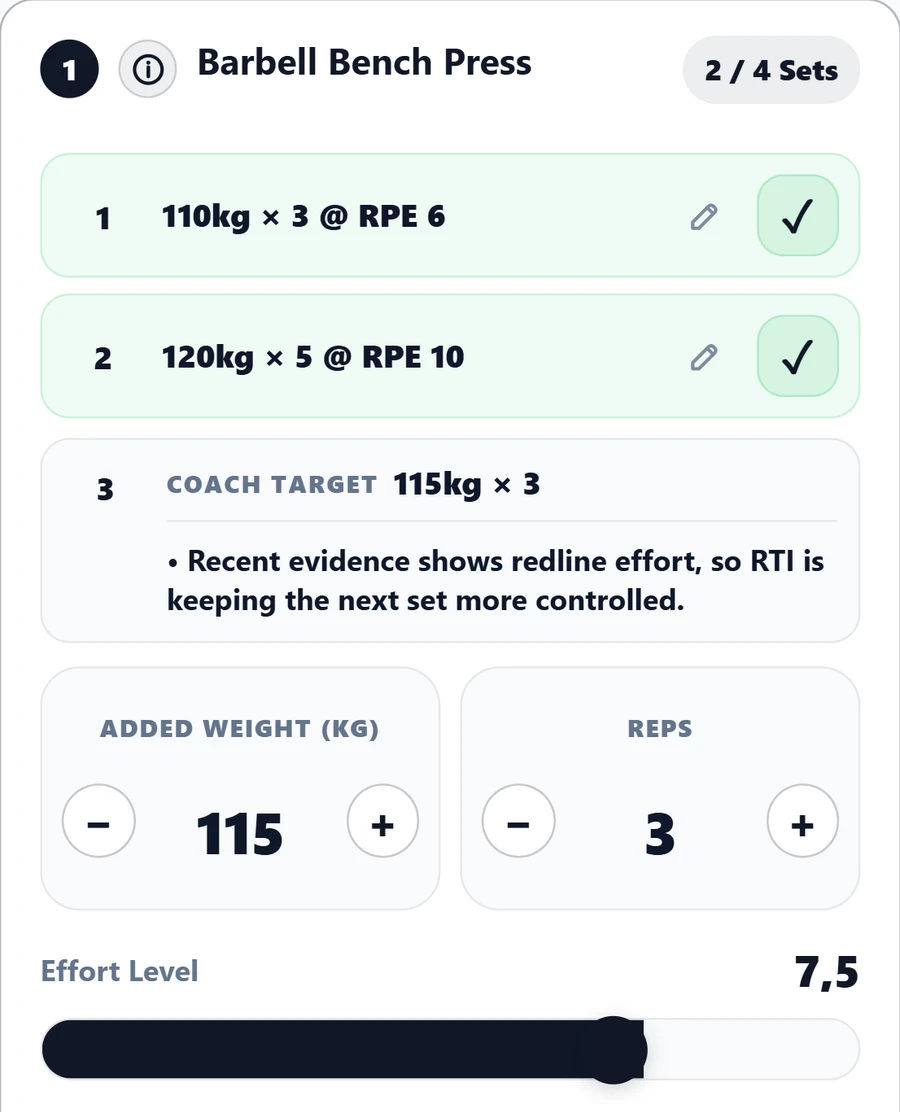
Record your weight, reps and effort after each set. RTI shows the next target and explains why it has changed or stayed the same.
Here, a bench-press set logged at 120 kg for five reps and RPE 10 is followed by a target of 115 kg for three reps. The coach explains that it is keeping the next set more controlled.
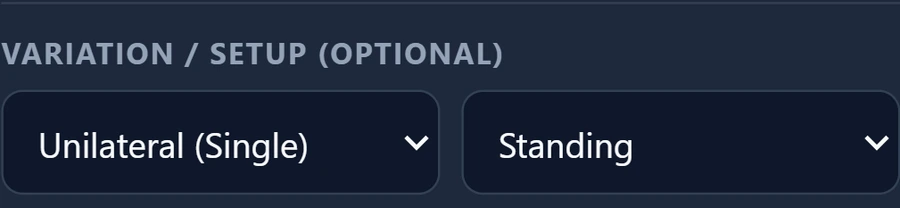
For exercises with variation controls, select the loading mode and position you are using. The lateral-raise example shows Unilateral (Single) and Standing selected. You can also adjust rest, add notes, swap exercises and group supersets during your workout.
Workouts and equipment
Follow an RTI programme, choose an individual Playbook session or build a workout from your own exercises. Save workouts as templates so you can use them again.
Training progress
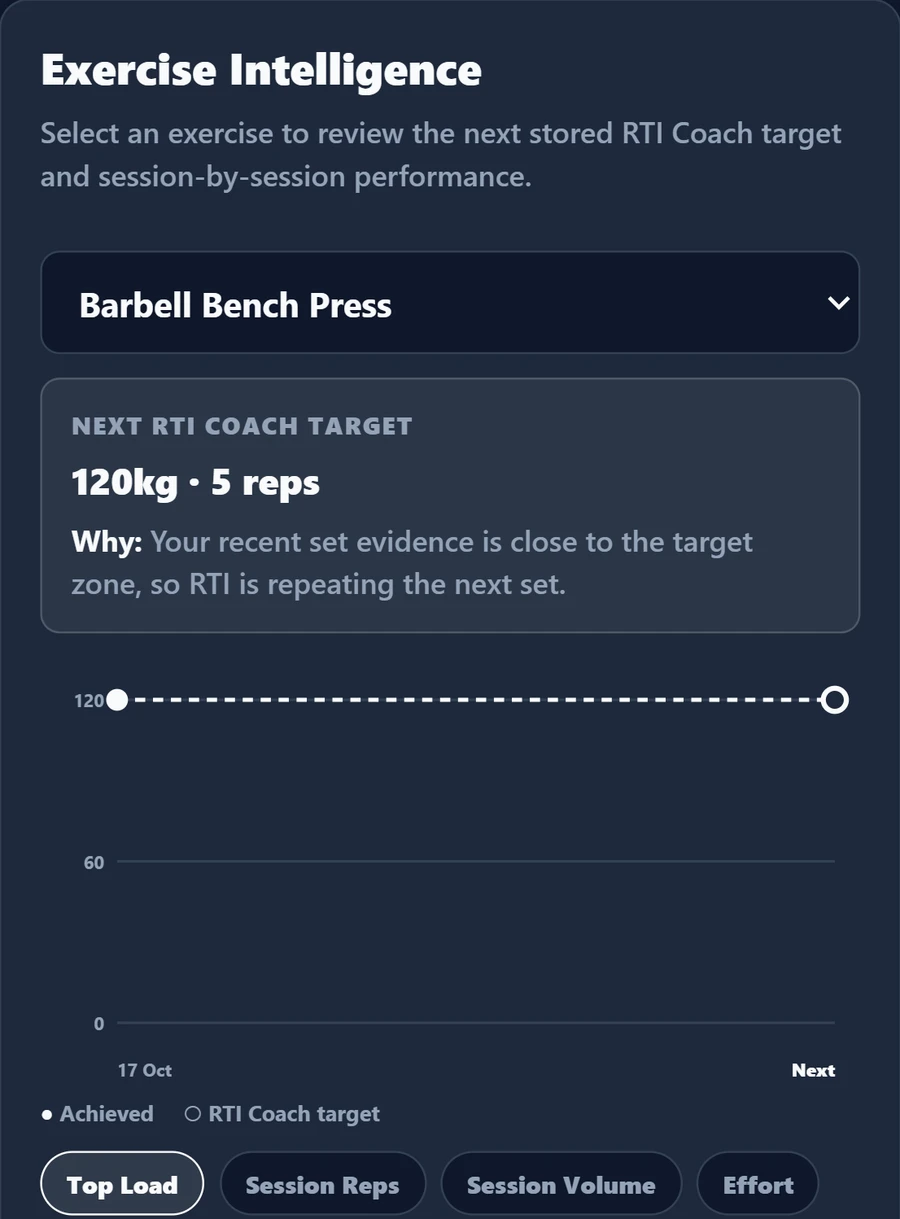
Exercise Intelligence shows your logged performance and the next saved coach target. Compare top load, reps, volume and effort to see how your training is changing.
Read the chart alongside your block and recent sessions. A lighter load may reflect a change of exercise setup, recovery needs or a different training focus.
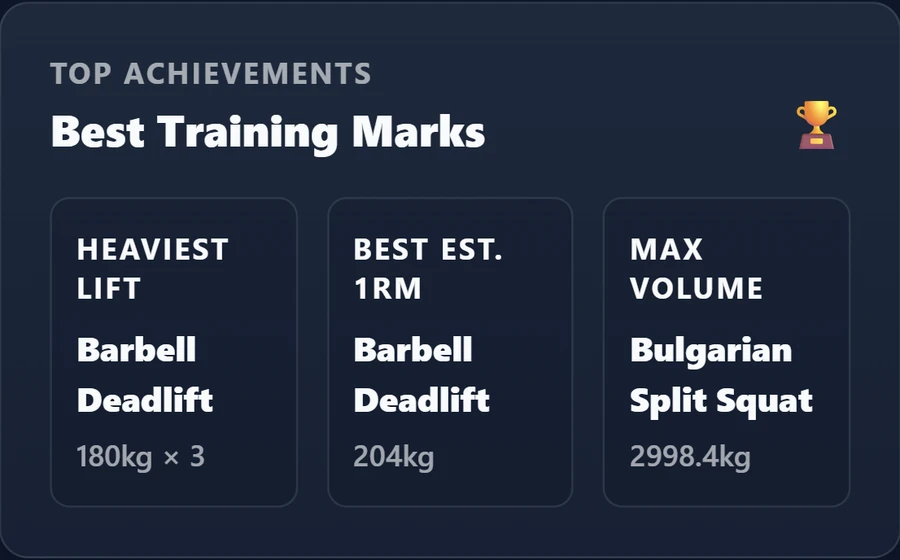
Achievements keep your best training marks together: heaviest lifts, estimated one-rep max and volume. The one-rep max is calculated from your logged sets.
Plan access
Compare the coaching modes, workout tools and progress features included in each paid plan.
Full Simple coaching, expanded Playbook access, workout building, reusable templates, detailed workout history and achievements.
Everything in Coach, plus Guided coaching, block-length choices, full weekly coaching and supported health integration.
Everything in Performance, plus Precision RPE feedback, block-type selection, detailed equipment and exercise controls, manual progression, Advanced Analytics and report exports.
No. Precision adds detailed RPE feedback; it is not a test of experience. Simple, Guided and self-directed logging suit different preferences. Choose the controls you actually want to use.
No. Fixed uses stricter progression rules with fewer automatic changes. It does not remove all coaching decisions or guarantee an unchanged load.
Supported workout-building tools let you choose exercises and save reusable templates. Coach-led and self-directed session choices are distinct from the amount of control available within Coach Settings. Access depends on your plan.
No. The six-day plan is an example. Your schedule should reflect your goals, experience, available time and recovery; a larger schedule is not automatically a better one.
No. Coach Settings shape coached training. Precision feedback and advanced controls have their own access requirements; self-directed logging is a different workflow. See the plan comparison for the current access levels.
Plan your workouts, log your sets and follow your progress with RTI.